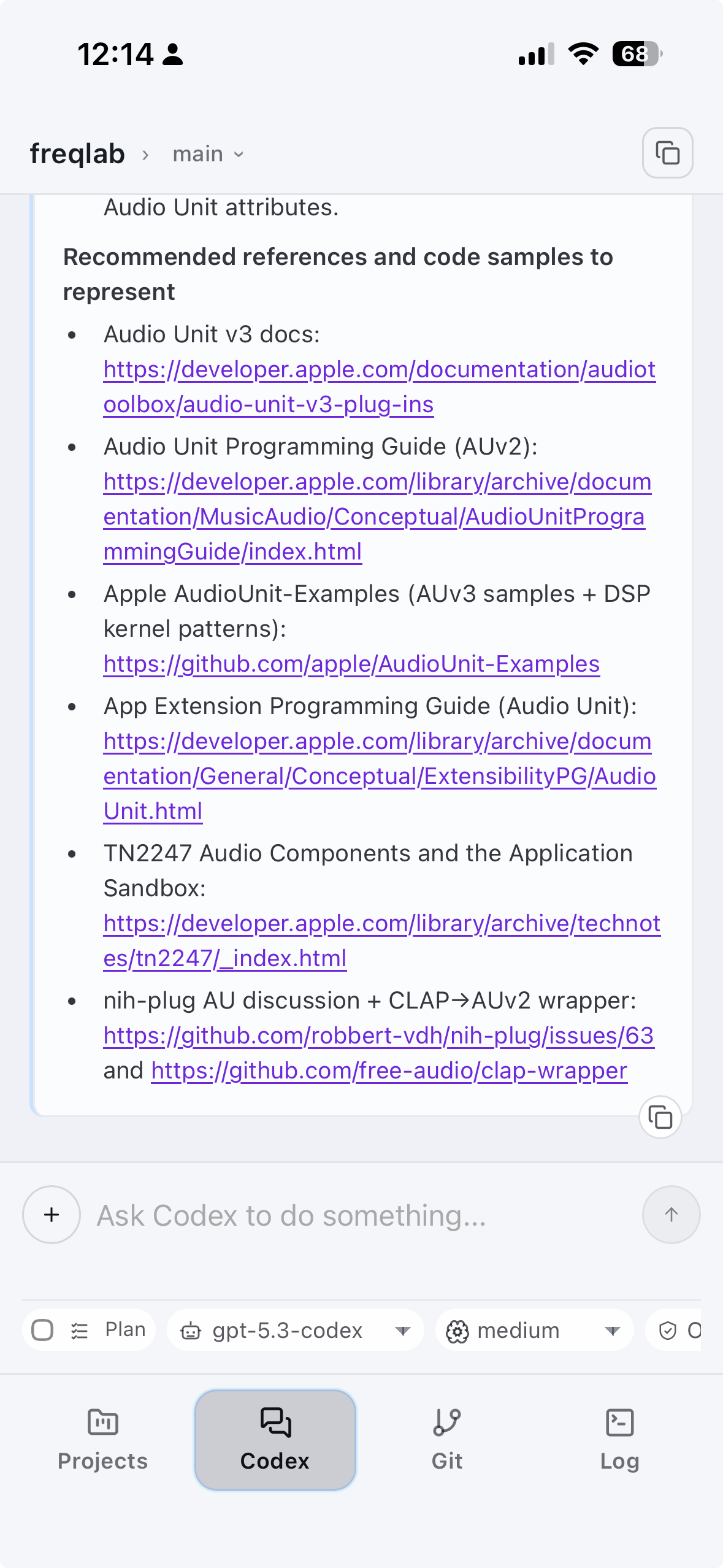
How I Got CodexMonitor Running on My iPhone Over Tailscale
CodexMonitor recently developed an iOS app for connecting to your projects running on your desktop over Tailscale. Until there's a TestFlight / AppStore build you will need to build this yourself if you want to use it. Here's what I did to get it working.
Pre-requisites
- Desktop app (prebuilt): https://www.codexmonitor.app
I installed/updated this instead of building the desktop app myself (the latest builds include Tailscale support + the iOS work). - iOS app (from source): https://github.com/Dimillian/CodexMonitor
The iOS app isn’t on TestFlight, so I built it locally. This has dependencies but I am not going to list them since building should resolve. - Xcode + Command Line Tools
I used my Apple Developer Account (TeamID, AppleID) to build and deploy to my device not sure if that's required. - Tailscale on macOS and Tailscale on iOS logged in and connected
- Codex installed and authorized to your account
1. Get the desktop app running + note your Tailscale IP
On the Mac where CodexMonitor runs, open Tailscale from the menu bar and copy your Tailscale IPv4 (something like 100.x.y.z). That’s the IP the iPhone will target.
I used that IP as the remote backend address inside CodexMonitor.
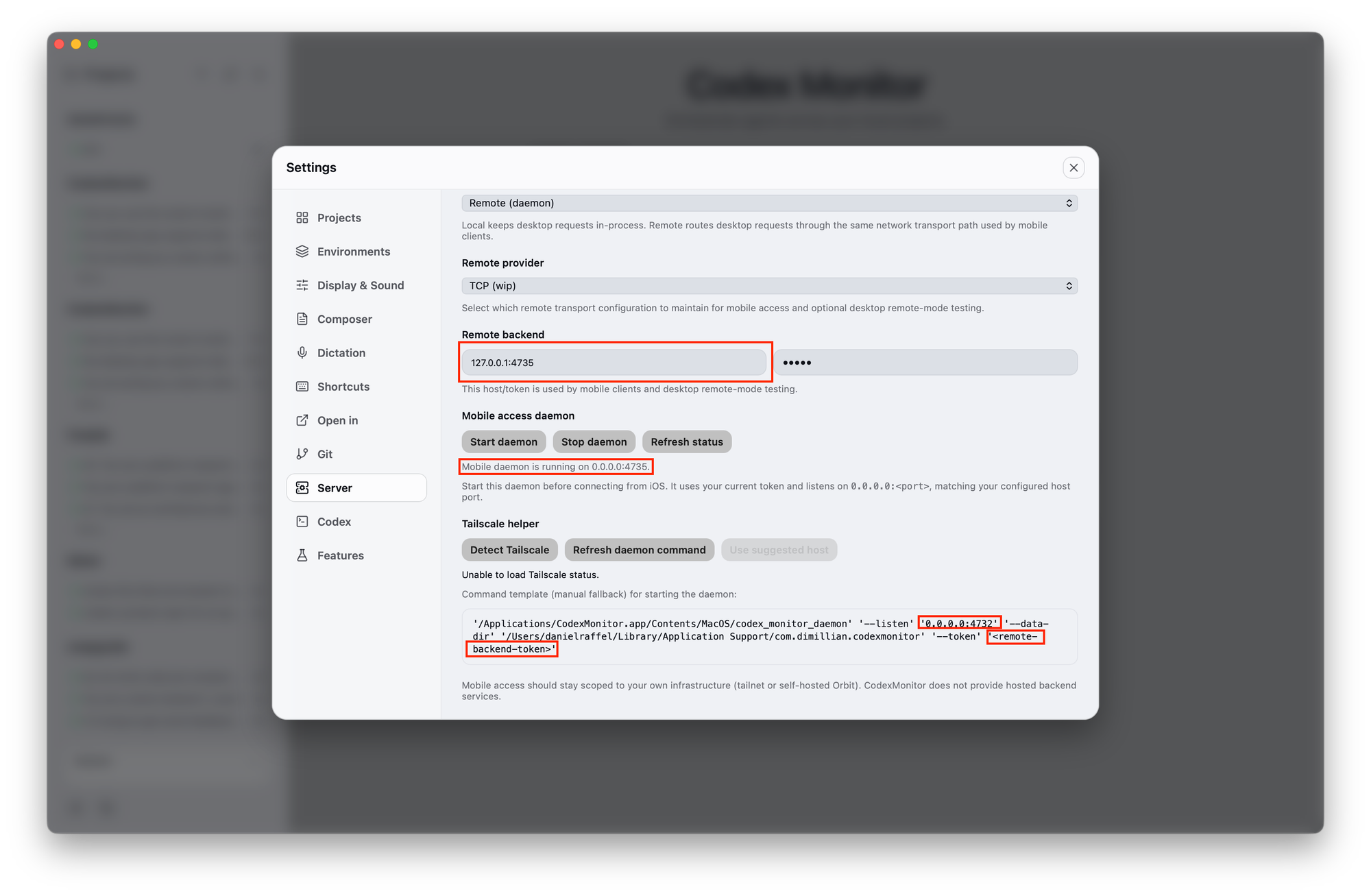
2. Configure CodexMonitor desktop to run as a Remote Daemon and Start Mobile Access
In CodexMonitor (desktop) go to:
Settings → Server
Set:
- Backend mode: Remote (daemon)
- Remote backend IP:port:
<TAILSCALE_IP>:<PORT>- I had to change the port (example below uses
4735) - Token: set a token
- I had to change the port (example below uses
- Mobile access Daemon: Click Start daemon
- Tailscale Helper: Click Detect Tailscale
If Tailscale Helper Doesn’t Work
You can also start the daemon yourself from a shell. CodexMonitor shows you the exact command to use so don’t copy the generic example below as-is because it won’t include your macOS username, path, IP:port. Replace 100.x.y.z:4735 with your Tailscale IP and the port you set in Step 1.
'/Applications/CodexMonitor.app/Contents/MacOS/codex_monitor_daemon' \
  --listen '100.x.y.z:4735' \
  --data-dir '/Users/username/Library/Application Support/com.dimillian.codexmonitor' \
  --token '12345'
Expected output:
codex-monitor-daemon listening on 100.x.y.z:4735 (data dir: /Users/username/Library/Application Support/com.dimillian.codexmonitor)3. Build and install the iOS app on your device (local signing)
Clone the repo and install dependencies:
git clone https://github.com/Dimillian/CodexMonitor.git
cd CodexMonitor
npm install
List devices to confirm your iPhone is visible:
./scripts/build_run_ios_device.sh --list-devicesThen build + install to your iPhone (you need an Apple Team ID that’s available in Xcode on this Mac):
./scripts/build_run_ios_device.sh --device "iPhone" --team "<YOUR_TEAM_ID>"If signing isn’t set up yet
The script supports opening the generated Xcode project so you can do one-time signing setup:
./scripts/build_run_ios_device.sh --open-xcode --team "<YOUR_TEAM_ID>"In Xcode, add your Apple account and choose the correct team for signing, then re-run the device script.
4. What Codex actually did to get the iOS build working
I asked Codex to run the repo’s iOS device script end-to-end and fix whatever broke. The flow looked like this:
- Ran ./scripts/build_run_ios_device.sh --help
- Listed devices with --list-devices
- First build failed due to missing signing team
- Installed missing JS deps via npm install
- Hit xcodebuild exit code 65 (signing/provisioning issues on that Mac)
- Checked available signing identities (security find-identity -v -p codesigning)
- Re-ran with a local team, still blocked until Xcode account setup was correct
- Eventually isolated a linker failure related to Swift compatibility libs being searched under a stale toolchain path
- Patched the generated Xcode project’s LIBRARY_SEARCH_PATHS to include stable Xcode Swift library directories as a fallback
- After that, the iOS build succeeded and the app installed to my iPhone
One important obvious gotcha: auto-launch via CLI fails if your iPhone is locked. If that happens, unlock the phone and re-run launch:
xcrun devicectl device process launch --device "iPhone" --terminate-existing com.dimillian.codexmonitor5. Configure the iOS app to talk to the desktop daemon
On iOS, set the exact same values as desktop (you might find the connect overlays are kinda in the way ignore that and tap the fields):
- Host/IP: <TAILSCALE_IP>
- Port: (e.g. 4735)
- Token: the same token you set on desktop
Then connect.